
- Exclusivité web !



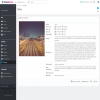
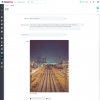


Publiez du contenu supplémentaire dans votre boutique organisée par dates et montrez-le à vos clients dans un calendrier agréable et complet. Organisez et planifiez vos événements.

Téléchargé plus de 50 fois
favorite_border Ajouter à ma liste de souhaits in the first yearDisplay a complete calendar of events in your store to inform customers of upcoming events or news related to your store.
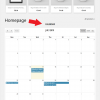
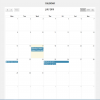
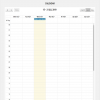
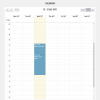
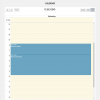
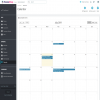
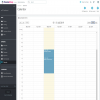
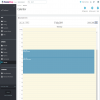
Allows the customer to view a history of events in calendar format. Monthly, weekly, daily or list calendar.
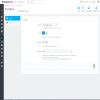
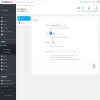
In the side menu within Customize you can find an access to calendar management.
The customer can easily navigate the calendar to see at a glance all scheduled and past events.
Keep your customers informed of the events your business generates.
Generating news, publishing blog articles, scheduling events, concerts, conferences, presentations, etc.
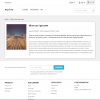
Each event has its own page with friendly URLs.
Improve the positioning of your store with extra content that expands the descriptions of your products.
Creating an event is as easy as clicking on a day on the calendar to create it.
The calendar is available in multiple languages and event text can be filled in all enabled languages of the store./p>
The calendar is compatible with PrestaShop's multi-store functionality. In this case, each store can have its own calendar.
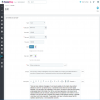
Calendar entries can be of the event or blog type.
A start date can be indicated by indicating day, month and year on a calendar.
Only available for the Event type. The hour and minute of the event's start can be indicated.
Only available for the Event type. The end date can be indicated by indicating day, month and year on a calendar.
Only available for the Event type. The hour and minute of the event's end can be indicated.
The background color of the entry can be set for display on the calendar.
You can set the text color of the entry title for display on the calendar.
You must enter a title for the entry or event. This is the text that is initially displayed on the calendar.
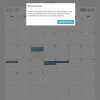
You can enter a summary to view in the popup that appears when clicking on an entry from the front-end calendar.
You can enter a description with rich content or HTML content such as tables, links, lists, videos, images, and more.
You can enter a meta title to improve search engine results.
You can enter a meta description to improve search engine results.
You can enter keywords to improve search engine results.
You can add an image associated with the entry or event. This image can be viewed by the user on the entry or event page.
You can indicate whether the event should be displayed on the front-end or not.
You can indicate whether the event is enabled or not.
Installing an events calendar in your store has multiple benefits that can improve customer interaction and streamline the management of your business. Here are some key reasons why you should consider adding an events calendar to your store:
1. Increases customer interaction and engagement
An events calendar can help keep customers informed about upcoming activities, product launches, promotions, or special events. This generates more interaction and encourages active participation from visitors.
Examples: Limited-time offers, seasonal sales, workshops or webinars, new collection launches.
2. Fosters customer loyalty
Organizing recurring events or special activities can create a stronger relationship with customers, encouraging them to return to your store, whether for online or in-person events.
Examples: Rewards for participating in events, early access to promotions for those who attend.
3. Generates upselling opportunities
Events can be a great opportunity to introduce new products or services, run exclusive promotions or flash sales that boost sales at key times.
Examples: “Product launch events” where attendees have exclusive access to new lines, or “One-day only sales” where customers can take advantage of special discounts.
4. Improves organization and planning
A calendar allows you to better manage event planning, whether in-store or online. This way you can coordinate launches, promotions or any special activities without logistical problems.
Examples: Handling reservations, appointment times, organizing webinars or live broadcasts.
5. Facilitates ticket sales and event management
If you sell tickets or run paid events, an integrated calendar can simplify the process of registration, ticket purchase, and reminders for participants.
Examples: Paid webinars, in-store events where customers buy tickets, workshops or online courses.
6. Improves visibility and promotion of your store
Scheduled events visible on a calendar can attract more customers, especially if the events are public or promoted on social media and email marketing campaigns.
Examples: Promoting events on Facebook or Instagram linked to your online store.
7. Increases trust and professionalism
Displaying an organized and accessible calendar can build trust with customers, who see that you have everything planned efficiently and professionally.
In short, an events calendar not only improves the customer experience, but also helps you better organize your store, improve engagement, and increase sales. Plus, it allows you to stand out from the competition by offering additional experiences, beyond simply selling products.
The calendar can be displayed on the main page of the store or a specific page.
Default background color for calendar entries.
Default text color for calendar entries.
Tag or accompaniment of the friendly URL for calendar entries and events.
PrestaShop v1.7.0.0 - v8.2.0
2.3.6 (28/03/2025)
Changelog


Install this module easily, in one click, from the modules management of your store. Upload and install it.
Complying with PrestaShop code standards.
Module tested and working perfectly in our own PrestaShop module store.
Guarantee the success of your business with this unique module and differentiate yourself from the competition.
Developed by PrestaShop experts with more than 15 years of experience in the Ecommerce sector.
We are aware of the importance of fulfilling the development of the work in the stipulated time. We put our capabilities to the maximum to carry out the entrusted task.
Delighted with our work. Dividing to win is a whole philosophy of life and that is what we do every day to give you solutions.
Analysis, constant work and innovation. We always listen to your suggestions and requests to improve and make a more complete product.
Enjoy important updates every year and ask for unlimited help with technical support included in the purchase.
To resolve specific problems, hire a bag of hours to provide you with the most appropriate and personalized technical assistance with priority and/or exclusivity.
With the maintenance service, we take care of everything related to the technical part of your store and help you improve your business.
Ask for budgets without commitment to make specific modifications in your shop..

Il permet au client d’envoyer une note et un commentaire sur son achat à partir de son compte client avec différents critères...

Ajoutez des galeries d’images et/ou de vidéos de manière puissante et simple dans n’importe quelle position disponible dans votre...

Outil de gestion et de contrôle des revenus, des dépenses, des bénéfices et du calcul de l’impôt à payer trimestriellement pour votre...

Ajoutez facilement des blocs publicitaires Google Adsense dans n’importe quel crochet ou position de votre boutique.
Publiez du contenu supplémentaire dans votre boutique organisée par dates et montrez-le à vos clients dans un calendrier agréable et complet. Organisez et planifiez vos événements.
