









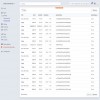
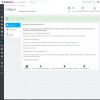
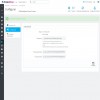


Allow customers to pay with credit card in your market. It allows sellers to connect their Stripe account with the market to receive automatic transfers.

Downloaded more than 100 times
favorite_border Add to my wishlist in the first yearWHAT THIS MODULE GIVE YOU
FEATURES
Stripe Connect can be integrated in several ways. This module uses the connection with Standard accounts. In this way, the system is free and without platform specific commissions.
Platforms that use Stripe Connect with Standard accounts are not subject to additional fees per account, transfer volume, transfers or the preparation of the tax return.
This system is ideal for platforms that accept independent companies that benefit from having a complete Stripe account (for example, an e-commerce platform).
In addition, this option gives more freedom to platform users by giving them full access to the Stripe Dashboard.
Standard account types allow you to connect your platform to Stripe accounts (new or existing) using Stripe Dashboard and onboarding flows.
It is the best option if your vendors need the power and flexibility provided by the Stripe Dashboard. Such sellers are typically individuals or companies that are experts in electronic commerce.
Integration with standard accounts is the fastest and easiest way to start using Connect, as it will yield most of the user experience and communication to Stripe.
A standard Stripe account is a conventional Stripe account controlled directly by the account holder (that is, the user of its platform). A user of a standard account has a relationship with Stripe, can log in to the Dashboard, can process charges on their own and can disconnect their account from their platform.
You can ask your users to create Stripe accounts or allow anyone with an existing Stripe account to connect to your platform.
In this way, your marketplace platform consists of a main account with multiple accounts connected with the main objective of making automatic transfers to pay the commissions of the sellers.
You can have an e-commerce market that allows a single shopping cart for products sold by multiple vendors.
The division of payment between the market and sellers is made transparently to the customer or buyer user.
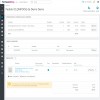
The full payment is directed to the Stripe account of the market but transfers are generated to the accounts of the sellers involved in the shopping cart automatically or manually. This can be configured in your Stripe account.
Currently, this module is limited to work with the Euro and Dollar.
IMPORTANT: If you do not have the technical knowledge to install this module, we strongly recommend that you make the purchase by selecting Installation: Yes. In this way, you will avoid a problem of malfunction by not having followed all the installation steps. You can see the installation tab to see the steps and check if you are enabled to do it.
Find more information about Stripe Connect.
Learn more about how Stripe charges
Learn more about how Stripe transfers
How sellers can connect their Stripe account to the market
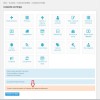
This module adds a new item to the main menu of the seller account that allows you to connect your Stripe account to the market.
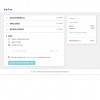
If the seller has a Stripe account, you can log in to complete the connection.
Otherwise, you have the possibility to register indicating all the data that Stripe needs to validate an account.
Once connected, the seller has direct access to the Stripe Dashboard and, most importantly, is connected to the market to receive automatic transfers to collect their commissions.
Previous requirements
New regulations
This module is adapted and working with the September 2019 regulation called Strong Customer Authentication (SCA) that requires companies in Europe to request additional client authentication for online payments.
Through the use of the new payment attempt APIs, payments with this module are fully compatible with SCA, including exemption logic, and ensure that you only request customers to provide additional authentication when strictly necessary.
---
To make a test payment you can use a test card from the list that appears in Stripe Testing.
It is very important that you thoroughly review all the documentation of the products we sell, try the demonstration and ask us any questions you have before making the purchase because product returns are not allowed, since it is non-encrypted software and it is not a tangible product.
Once sold a licences, the amount will not be returned under any circumstances except for causes attributable to this entity, in that case the origin of the problem will be studied to try to solve it by dedicating the maximum capacity to it.
In case the product is not working in your store, we will need the access data to the site (FTP and backoffice mainly) to review and solve the problems.
Only in the event that the problem could not be solved would the refund be issued.
Refund requests will not be considered if the purchase was made more than 3 months ago.
The purchase of this module includes 12 months of technical support and updates and is tacitly renewed at the end of the period.
You can cancel your subscription at any time before the end of the current period.
Download security updates.
Download compatibility updates.
Download evolutions and new functionalities.
Unlimited assistance.
Installation.
The adaptations with the different types of template.
The specific modifications or customizations that you need to make in your shop.
Solve problems related to the template, incompatibilities with third-party modules or third-party service problems such as hosting limitations among others.
Take a look at the hour bag service we offer.
View hour bag
Allows market sellers to add offers or specific prices to their products with all their possibilities.

Create your own MarketPlace allowing your customers register as sellers for sell their products in exchange for a commission.
Limits the products number that sellers can upload in the market by indicating the maximum number of products that they can publish.

Allow sellers in your market to add a video to your profile or store page using the YouTube platform.

Create and allow sellers in your market to create auctions of their products so that customers can bid.

Allows the customer to select a shipping option for each package and / or seller involved in the shopping cart in your marketplace.
Allows market sellers to add offers or specific prices to their products with all their possibilities.
Allows customers to negotiate the price of products and the products of the marketplace sellers.
Allows market sellers to add offers or specific prices to their products with all their possibilities.
Allows the customer to select a shipping option for each package and / or seller involved in the shopping cart in your marketplace.
Create and allow sellers in your market to create auctions of their products so that customers can bid.
Allows customers to negotiate the price of products and the products of the marketplace sellers.
Allow customers to pay with credit card in your market. It allows sellers to connect their Stripe account with the market to receive automatic transfers.


